Shifty Bites Blog · Leadership & Strategy
Restaurant Reporting That Turns Daily Data Into Action
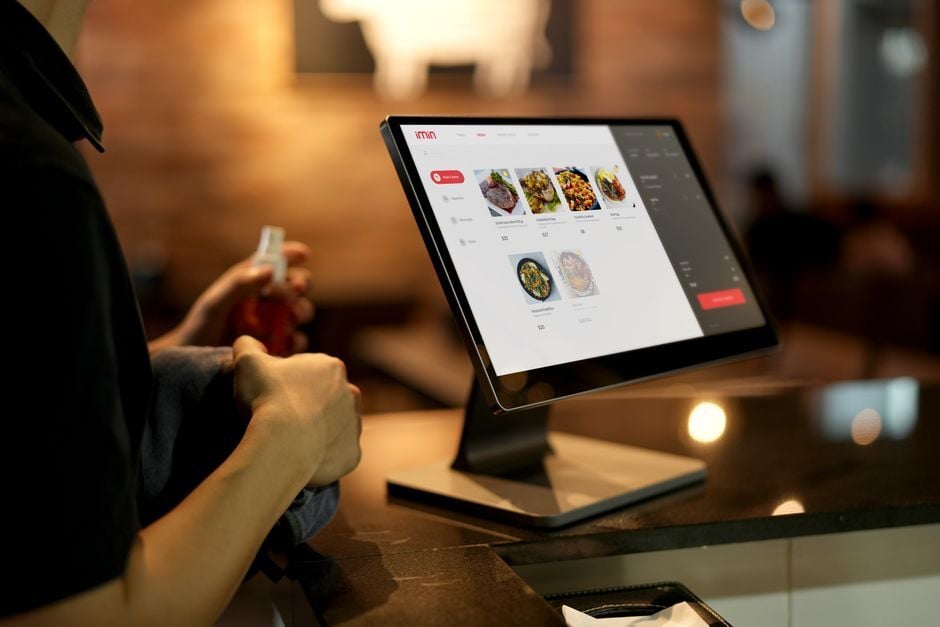
Restaurant reporting should feel less like homework and more like a quick huddle before service. You already have the signals: sales, labor hours, covers, comps and voids, ticket times, and that nagging feeling you get when the floor is busy but the numbers still look off. The difference between a smooth Tuesday and a messy one usually is not “more reports.” It’s a short list of numbers your managers can read fast, trust, and act on while the shift is still happening.
We built Shifty for operators who live in the real world: you have one shot at tonight’s dinner rush, and you do not get credit for “finding the issue later.” Below is a practical way to think about restaurant reporting and restaurant analytics, the restaurant metrics worth your attention, and a daily cadence that turns yesterday’s data into today’s decisions.
Restaurant reporting vs. restaurant analytics: what you need on the floor
Restaurant reporting tells you what happened. It’s the recap: sales by daypart, labor hours, item mix, comps and voids, and maybe a quick note on ticket times. Useful, yes. But on its own, it’s still a rearview mirror.
Restaurant analytics is what you do next. It’s the habit of asking, “Why did this happen, what’s likely to happen again, and what do we want the manager on duty to do about it?”
Think of it in three layers that match how operators actually make decisions:
- Descriptive: What happened? (sales by hour, labor by role, item mix)
- Predictive: What’s likely next? (forecasts based on trends, events, weather)
- Prescriptive: What do we do right now? (deployment moves, prep calls, pacing, coaching)
Restaurant reporting metrics you can actually run tomorrow
You can track a thousand things. Your managers can execute maybe five to seven daily, consistently, without it turning into a spreadsheet ceremony. Our rule of thumb is simple: if the number does not point to a specific action on the next shift, it does not belong in your daily restaurant reporting.
Here are the metrics we see move the needle across quick-service restaurant (QSR - quick-service restaurant), fast-casual, and full-service concepts. The “do with it” column matters as much as the metric itself.
| Daily metric | What it tells you | What you do with it |
|---|---|---|
| Prime cost | Food and beverage costs + total labor | Set guardrails by daypart, then adjust staffing, purchasing, portioning, and prep |
| Sales per labor hour (SPLH) | Revenue divided by labor hours | Fix deployment before you cut, then right-size breaks and stations |
| Comps and voids | What got discounted or deleted, and why | Coach order-entry habits, tighten manager approvals, and clean up reason codes |
| Ticket times | Speed and flow through the kitchen | Call for help early, simplify the line, and spot training gaps by station |
| Menu item performance | Popularity and profitability by item | Re-cost, reprice, retrain steps of service, or stop pushing low-margin “favorites” |
Prime cost deserves special attention because it’s the clearest “are we operating like a business today?” check. Many operators aim to keep prime cost in a healthy band, often around 55 to 65% depending on concept, service model, and market. The important part is not chasing someone else’s number. It’s picking your target, deciding what “too high” looks like, and making sure every manager knows the play when you drift.
Daily restaurant reporting that doesn’t eat your managers alive
The month-end review is still useful, but it’s not where you protect margins. Leaks do not wait for accounting. Daily restaurant reporting is how you catch problems while they’re still fixable.
Here’s a cadence you can run in one store or twenty. It’s short on purpose.
- Pre-shift (10 minutes): check forecast, staffing, reservations or catering notes, then pick the one number you’re protecting today (often SPLH or ticket times).
- Mid-shift (5 minutes): look at SPLH trend and ticket time drift. Make a deployment move before you make a cut.
- Post-shift (10 minutes): capture results, exceptions, and one corrective action for tomorrow. One is enough if it’s the right one.
This cadence works best when you stop asking managers to “remember” the standards. Put the standards where they already are: in their pocket, in the flow of the shift, with a simple way to prove it got done.
Restaurant reporting only sticks when it’s tied to standards
A dashboard without triggers is wall art. “Labor was high” is not a lesson. A lesson is: “From 5 to 7 pm we were under forecast by 12%, SPLH dropped below target, and we did not run the labor play we trained.” That sentence tells you what to do next.
This is the people layer Shifty brings. We do not replace your point of sale (POS - point of sale), payroll, or accounting system. We connect the numbers to what your team actually does, with training, checklists, scheduling, and manager visibility built for a real shift.
Two real-world examples you can standardize:
- If SPLH drops below your daypart threshold: the manager runs a deployment checklist, resets station readiness, and adjusts breaks before making any cuts.
- If comps and voids spike: the manager audits the top order-entry errors from the shift, retrains the shift lead on modifiers, and confirms void reasons are logged the same way every time.
When you want standards you can verify, not just hope for, use Shifty Checklists with Photo Proof. And when the numbers tell you it’s a training gap, not a motivation gap, fix it with Training & Onboarding with role-based Training Paths so you are not relying on “grab someone when you get a minute.”
Restaurant reporting across multiple locations: clean inputs before comparisons
Multi-unit reporting gets tempting fast. It’s also where messy inputs quietly ruin good decisions. If one store rings “Kids Mac” and another rings “Mac Kids,” your item mix is lying to you. Same story with labor buckets, recipe yields, and how managers label comps and voids.
Before you benchmark, standardize these three basics:
- POS naming conventions: same categories, modifiers, and item names across all units
- Recipe costing discipline: same yields, units, and vendor pack assumptions
- Labor buckets: consistent front of house (FOH) and back of house (BOH) roles and rules
Once those are locked, comparisons stop being “that GM runs a tighter ship” and start being coachable. A two-point labor difference becomes a question you can answer: schedule build, deployment, throughput, or training.
If you’re scaling standards across locations, Shifty for multi-unit restaurants focuses on making your playbook portable so your best store is not your only store.
Restaurant reporting that managers will actually use: thresholds and triggers
If you want restaurant reporting to turn into action, every daily metric needs two things written down: a threshold and a response. Not a suggestion. A real “if this, then that” your manager can run at 6:15 pm.
Use this simple framework for each daily number:
- Metric: SPLH, prime cost, ticket times, comps and voids, item mix
- Threshold: what “good” and “needs action” look like by daypart
- Trigger: when you check it (pre-shift, mid-shift, post-shift)
- Action: the checklist, coaching, or schedule move you run immediately
- Owner: who is responsible (GM, shift lead, kitchen manager)
This is also where training and retention sneak into reporting. When you lose people, you lose consistency, and the numbers wobble. Replacing a single hourly employee costs about $5,864 according to the National Restaurant Association Educational Foundation’s Turning the Table on Turnover infographic, citing a Cornell University study. That’s why we push “training that sticks” so hard. Chaos is expensive, even when sales look fine.
Restaurant reporting checklists: how you make the numbers show up on the floor
When managers tell you, “I didn’t get to it,” they usually mean, “It wasn’t in the flow of the shift.” Checklists fix that when they are short, role-based, and visible in the Manager Dashboard.
Below are examples that mirror the universal checklists Shifty customers run in the app using Checklists with Photo Proof. Keep items action-first and quick to complete.
FOH Manager Opening
- Review reservations
- Assign sections
- Pre-shift lineup notes
- Bathrooms stocked
- Patio set
- Count drawers & petty cash
Daily Manager Checklist
- Check forecast vs labor
- Verify top 86 items
- Review SPLH target
- Call out ticket time goal
- Confirm void reasons setup
- Assign side work
FOH Manager Closing
- Closeout comps and voids
- Tip review complete
- Dining room reset
- Lock liquor storage
- Doors secured
- Alarm set
Facility Walkthrough
- Exterior & Entryway: Signage lit
- Exterior & Entryway: Entry glass clean
- Dining Room & Bar: Floors swept
- Dining Room & Bar: Tables leveled
- Restrooms: Soap stocked
- Restrooms: Trash emptied
- Kitchen & Food Prep: Line stocked
- Storage & Walk-Ins: Labels dated
- Employee & Office: Schedule posted
- Pest Control & Safety: Back door sealed
Manager Log (end of shift)
- Final sales
- Weather overview
- Comps
- Voids
- Recap of events/parties
- Any problems to report?
- Best part of the night?
If your current checklists are getting checked off but not really getting done, you’re not alone. David Scott Peters explains the common failure points well in why restaurant checklists aren’t working and what actually gets the job done. We’re his exclusive checklist partner for a reason: good checklists are not busywork, they are how standards survive turnover.
FAQ: restaurant reporting, restaurant analytics, and restaurant metrics
What is restaurant reporting?
Restaurant reporting is the routine review of operational and financial data from your POS and supporting systems. It tells you what happened during a shift, day, week, or month so you can monitor performance and catch issues early.
What’s the difference between restaurant reporting and restaurant analytics?
Reporting summarizes results. Analytics connects results to patterns, root causes, and next steps. If reporting tells you ticket times were slow, analytics helps you pinpoint when they drifted and what to change tomorrow.
Which restaurant reporting metrics should managers track every day?
Keep it short: SPLH, a prime cost view (or its components), comps and voids, ticket times, and one item mix focus tied to your current goals.
How often should you review restaurant reporting?
Daily for the core operating numbers, weekly for trend checks, and monthly for accounting-level review. If you only review monthly, you will see problems after they have already cost you.
How do you make restaurant reporting useful across multiple locations?
Standardize POS naming, recipe costing, and labor categories first. Then roll up views across stores with the same thresholds, and require a written action when a location falls outside guardrails.
Conclusion
Restaurant reporting gets powerful when it stops being a recap and starts being a habit. Keep the daily list tight, set clear thresholds, and attach a response your managers can run mid-shift. That’s how daily data turns into better staffing moves, smarter prep, and fewer month-end surprises.
If you want to connect reporting to real execution, start with Checklists with Photo Proof and Training Paths so standards hold even when your best trainer is not in the building. Or read our restaurant training checklists for managers guide for a deep dive on operational checklists in action.
Written by
Beth Hussey



See Shifty in action.
Book a 15-minute demo and see how Shifty helps restaurants schedule, train, and retain.
Book your free demo